The WebTranslateIt Blog · Page 6

i18n news and Product Updates about WebTranslateIt · Page 6

9 new features you didn’t know about

By Edouard on November 15, 2013

We released a lot of new small and larger features to WebTranslateIt during these last few months. We’ll introduce you 9 of them.

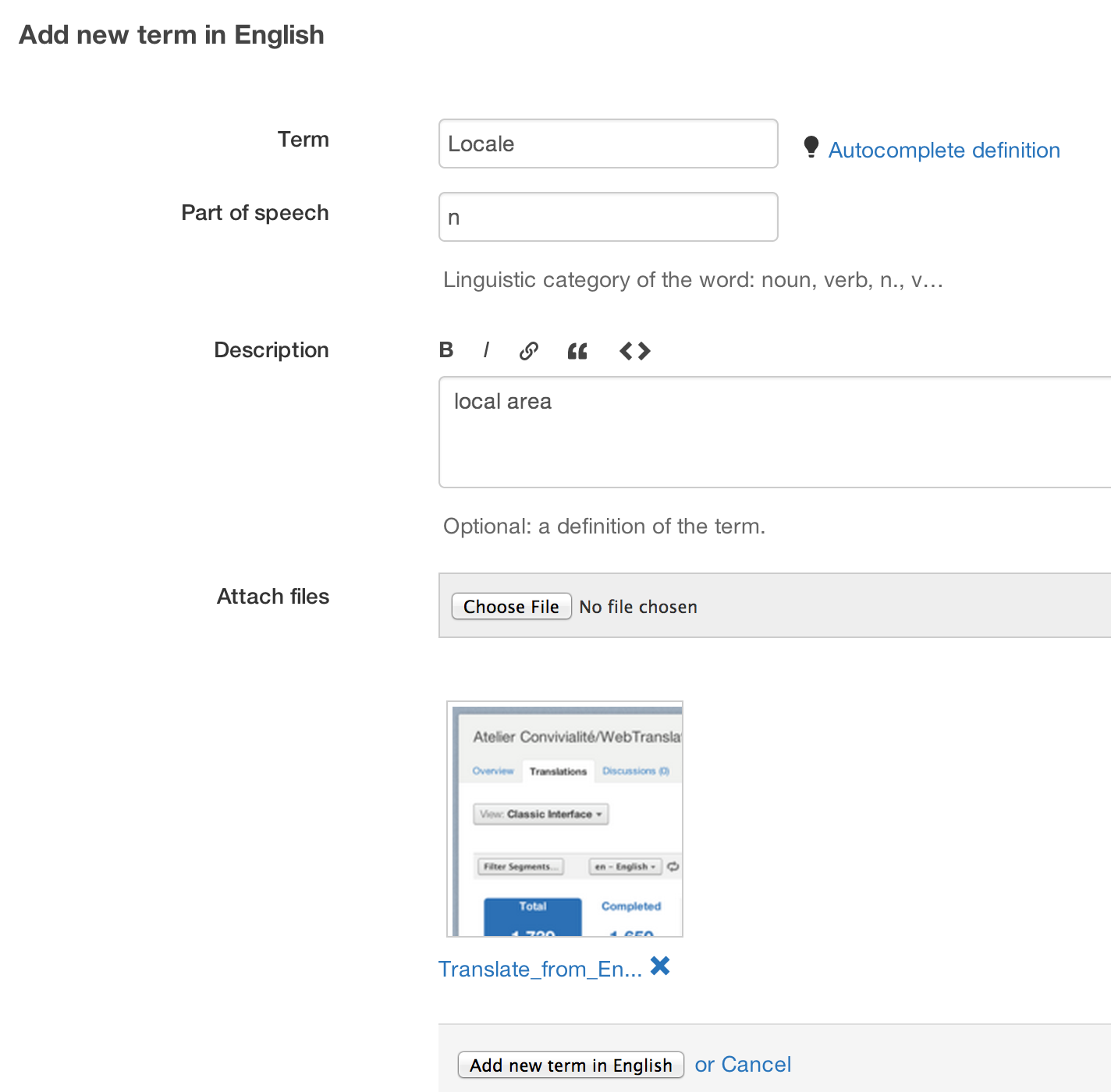
1. Attach files to terms

We added the ability to attach a file (a screenshot or a document) to a term. It’s useful to show to translators what a “Dashboard” is by showing them a screenshot for instance.
2. Sort segments alphabetically

By default, your segments are sorted by context but you can now also sort your segments by key name.
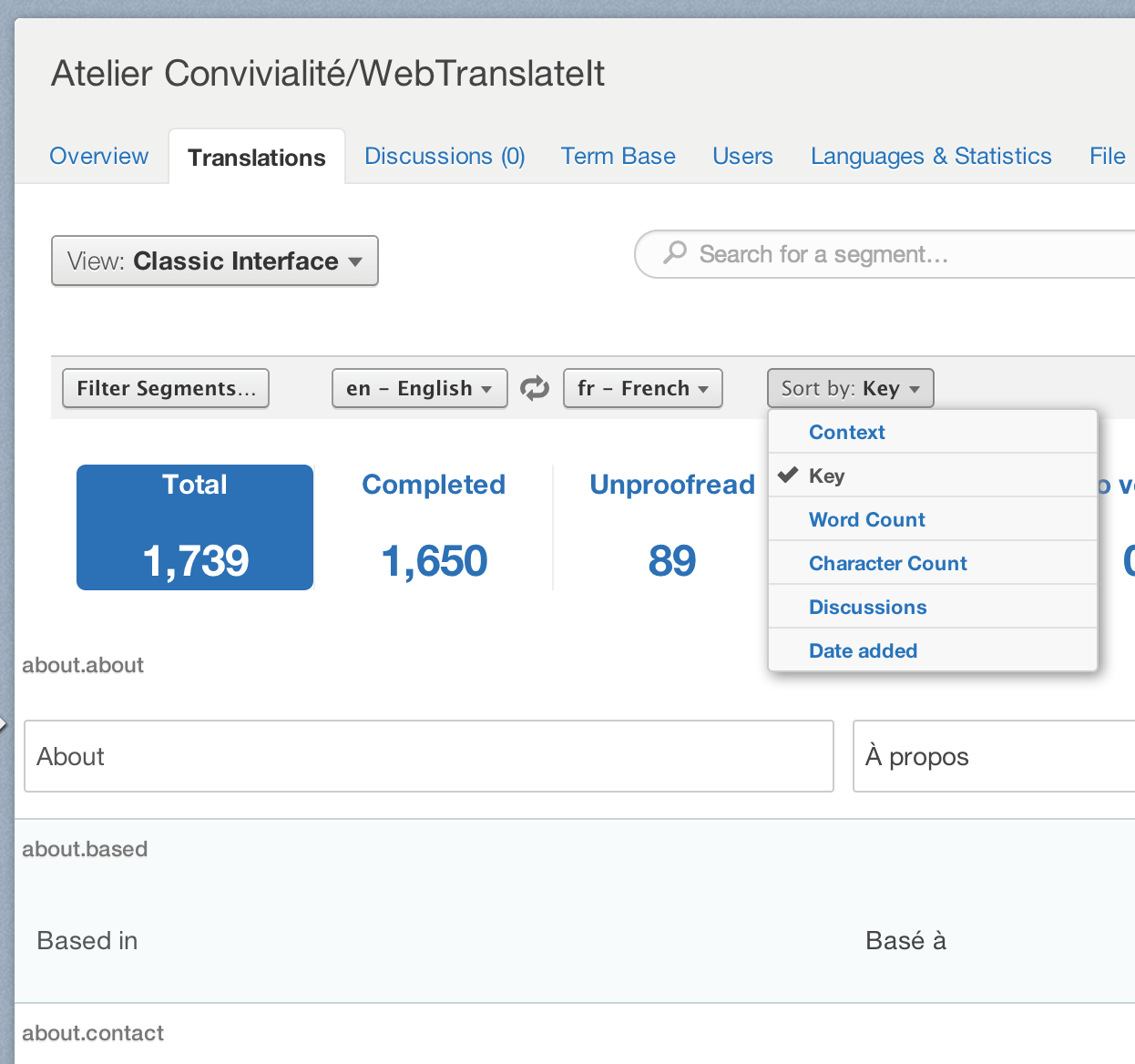
3. Settings tab

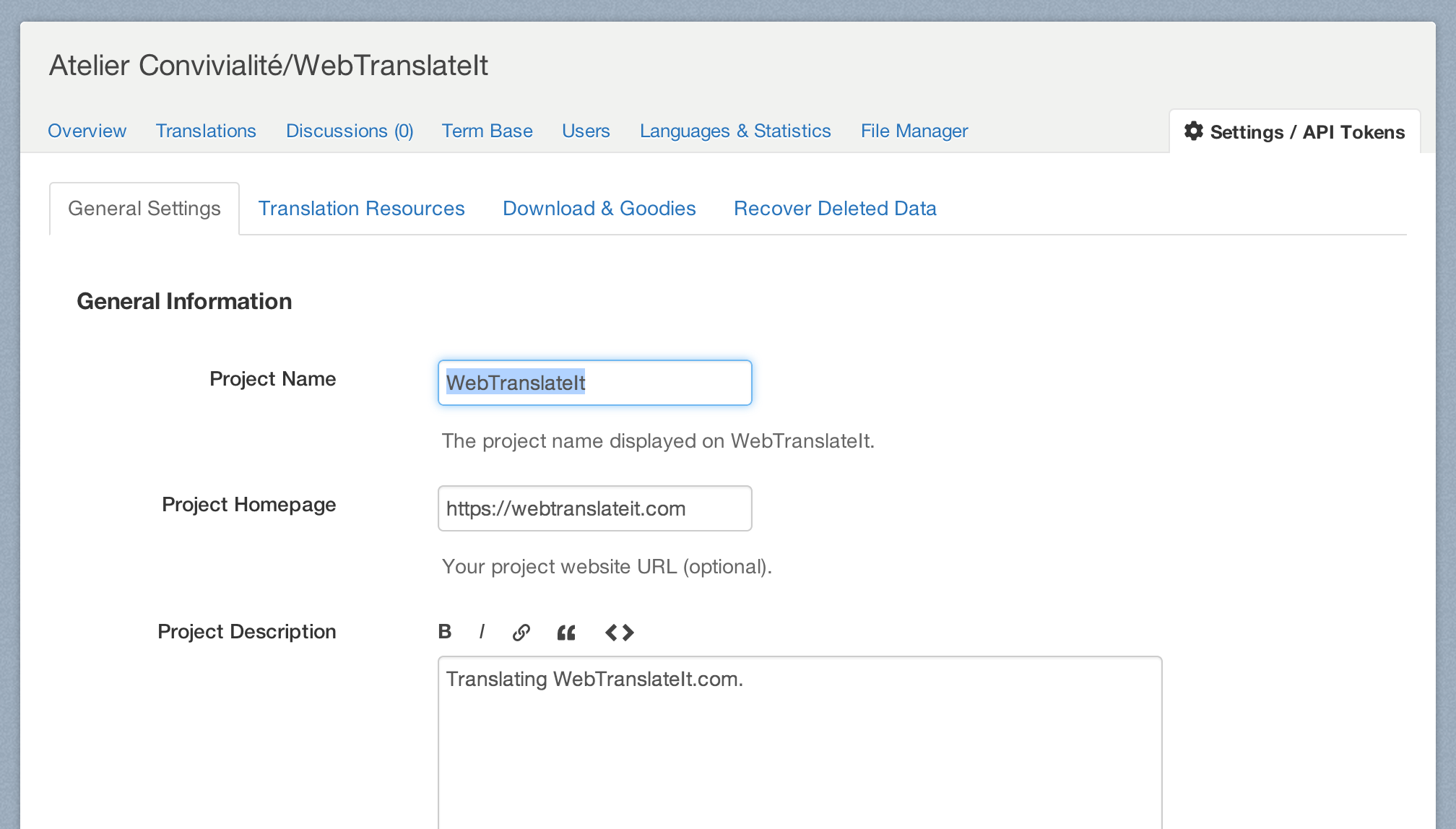
Where are the settings? The settings button which lets you configure your project or your organization is now easier to find in the tabs.
4. New workflow for discussions

We optimized the workflow for navigating between discussions. When you click to a discussion from the discussion dashboard, you now get a link heading you back directly to the discussions dashboard page.

The topmost back link also takes you back to the discussion dashboard page too, instead of going back to the translation interface.

5. Confirmation message on discussions

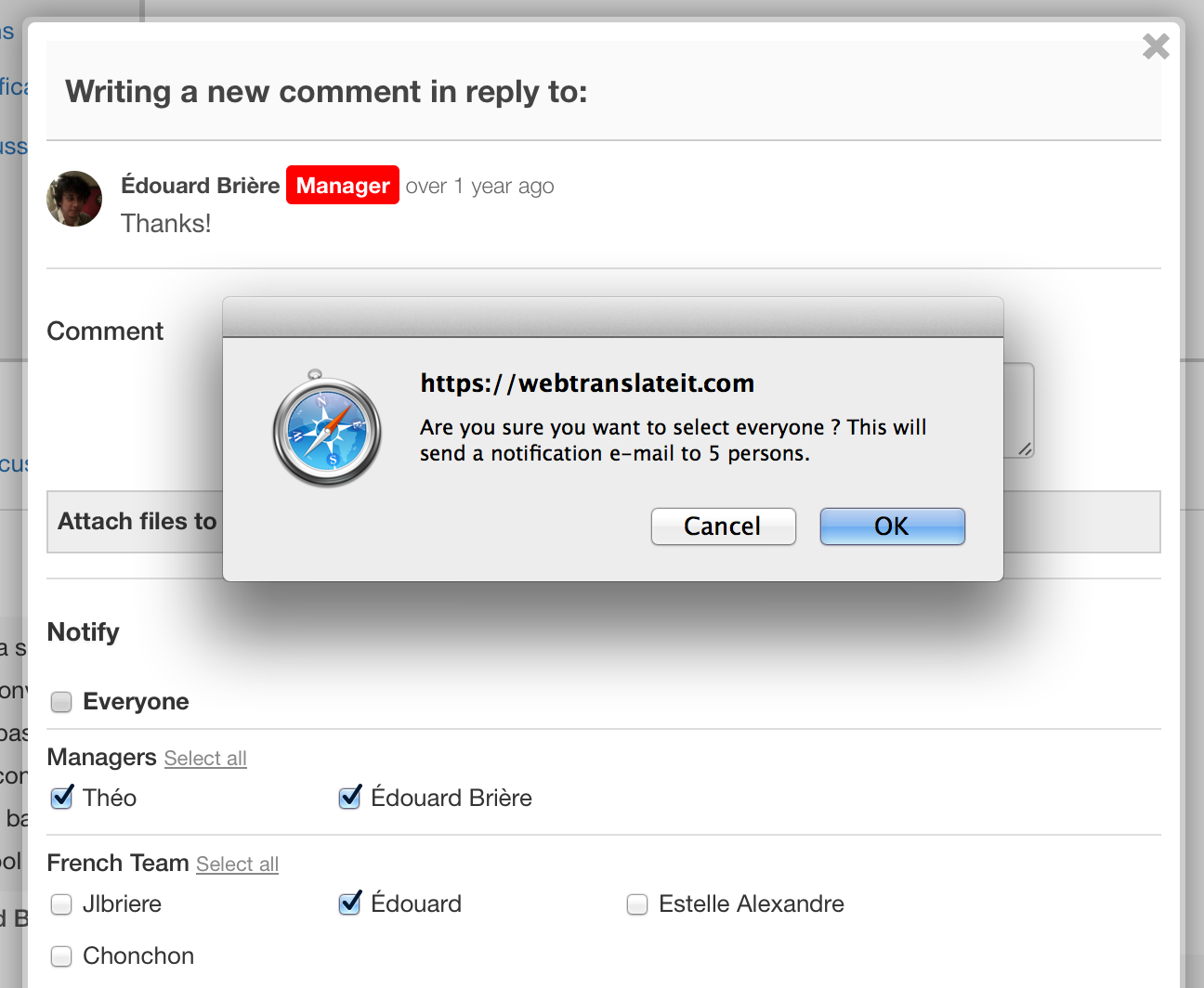
When a translator clicks to notify everyone in a project WebTranslateIt now asks the translator if he really wants to send an notification e-mail to everyone. This is a reminder that writing a comment sends an e-mail notification and the less the better and it should help discussions to be better targeted to people.
6. Super Proofreaders (he’s no super-hero)

We’ve added more flexibility to the proofreader role in WebTranslateIt. On top of being a proofreader, you can be “super proofreader”.

Super proofreaders are proofreaders who can also proofread their own translations. Proofreaders can only proofread other people’s translations. By default, a new translator invited with be super-proofreader, and all proofreaders on WebTranslateIt have been promoted as super-proofreaders.
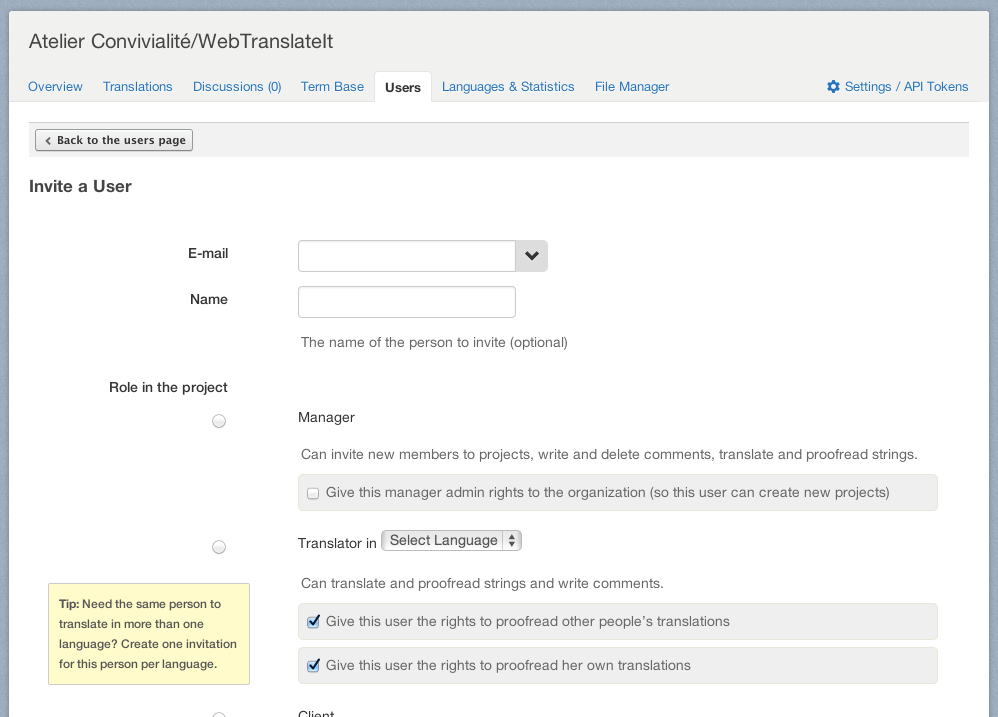
Super proofreader can be recognized by a different badge than proofreader’s.

We also changed the behavior of “to verify” translations. As you probably know, translations flagged as to verify are translations for which the source translation was changed, so they probably need to be changed a little bit and re-verified.

Before this update clicking on the proofread icon was flagging the icon as “proofread”, which makes sense, but it was forcing the proofreaders to work these to verify segments. What if you’d like your translators without proofreading rights to handle these segments?

The new behavior is that clicking on the proofread icon flags the segment as unproofread, and clicking again on this icon flags the segment as proofread, so now translators without proofreading rights can handle these segments as well.

7. Improvements to invitations

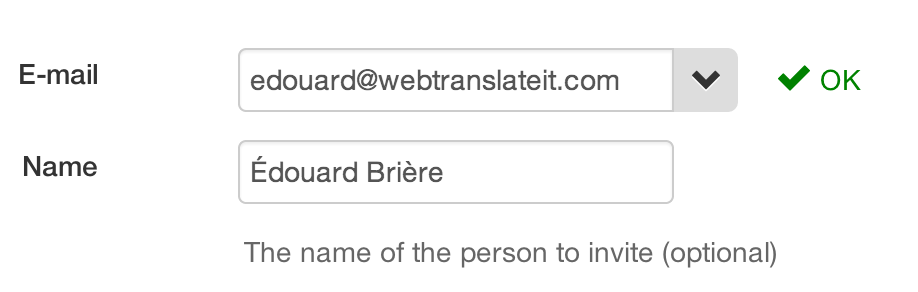
A lot of people reversed the name and e-mail fields when inviting a new user and were confused. We just added an validation which lets you know more clearly what is wrong in the form.

And here’s a cool one: if you paste an e-mail address like Édouard Brière <edouard@webtranslateit.com> to the e-mail folder it will extract the name and e-mail address and automatically place the e-mail address and name in the correct fields.
8. Improvement to adding new segments

WebTranslateIt now lets you know if you try to add an impossible key. This feature only works when adding segments to a tree-based file (like YAML or JSON files)

As an example, let’s consider this YAML file:

en:
  js:
    discussions
      created: "Discussion created"
      failed: "Failed to create a discussion"

js.discussions.created and js.discussions.failed are leaves in the YAML tree. They are the last elements in the tree, so it isn’t possible to nest a segment named js.discussions.created.ok under them.

In order to add the segment js.discussions.created.ok you either have to remove the js.discussions.created segment or rename js.discussions.created.ok to something else.

WebTranslateIt now knows about these rules and won’t let you create these segments from the web interface or the API, because they aren’t possible to export in a file, which can lead to hours of debugging on your side.

9. Deleting your organization now requires the owner’s password

We improved the security a bit and now deleting your organization requires you type your password.

I hope you will appreciate these improvements. Thank you for using WebTranslateIt.
Automate your Java apps file sync with wti-maven-plugin

By Edouard on November 14, 2013

wti-maven-plugin is a new plugin for Apache Maven made by Julien Redondo. It automates the file syncing between your Maven server and WebTranslateIt.

3 commands are available:

  • mvn wti:init to initialize your translation files on WebTranslateIt,
  • mvn wti:push to push your files to WebTranslateIt,
  • mvn wti:pull to update your files with the latest version from WebTranslateIt.

I am sure many people will find this Maven plugin useful. wti-maven-plugin is open-source (GPL v3) and available on GitHub.

Improvements to the payment system

By Edouard on October 30, 2013

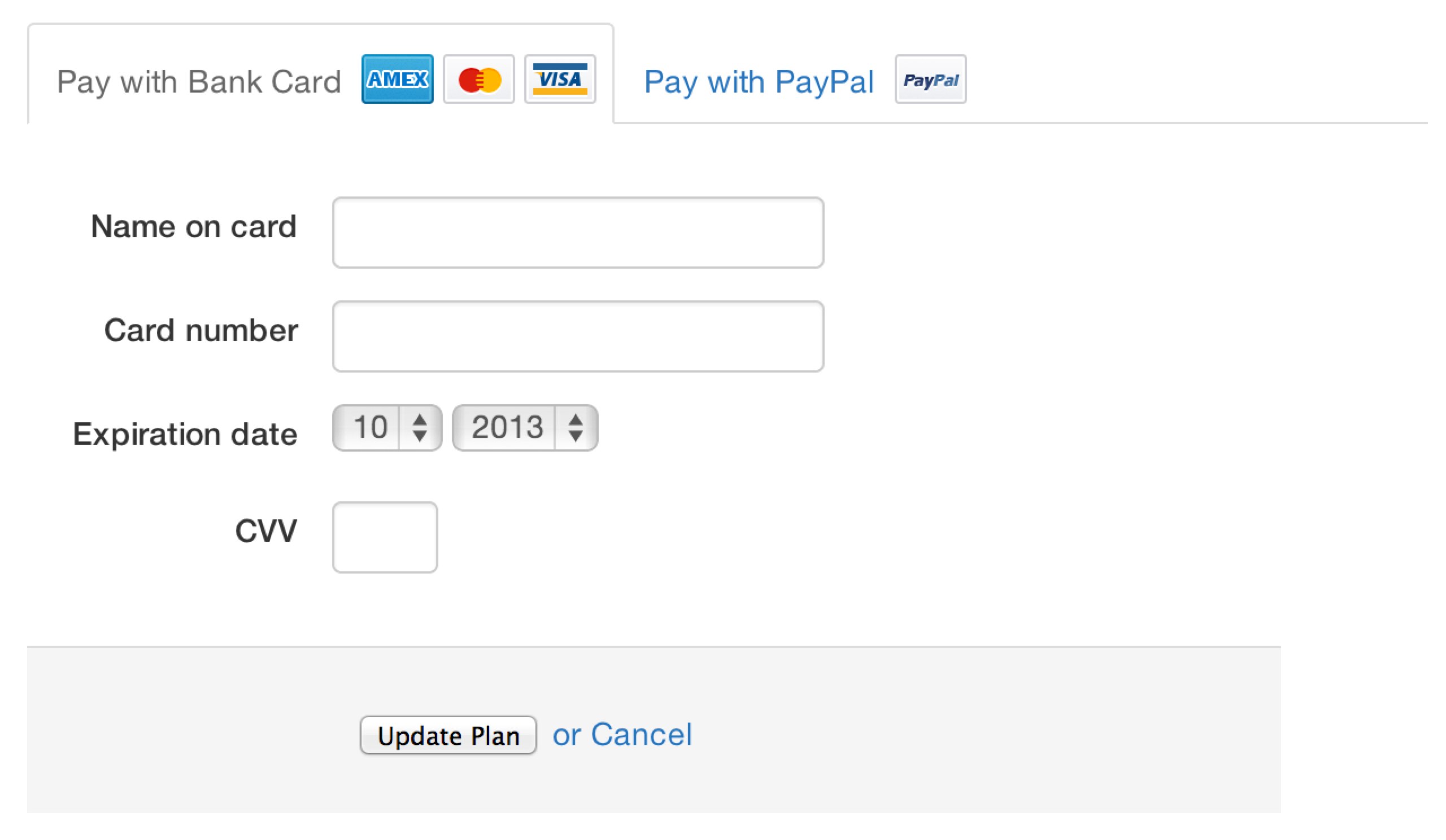
We improved WebTranslateIt’s payment system this month and we now accept 3 major credit cards: MasterCard, Visa and American Express.

We also still accept payments by PayPal and by bank transfers.

This improvement makes it easier for companies to subscribe and take a premium plan, especially for those who don’t have a company PayPal account.

web_translate_it rubygem v2.1.6 released

By Edouard on August 28, 2013

We just released a new version of the web_translate_it gem, the open-source synchronization tool for Web Translate It.

wti synchronization tool

Fixes

This new version fixes an issue with autofetch for Ruby on Rails projects.

Improvements

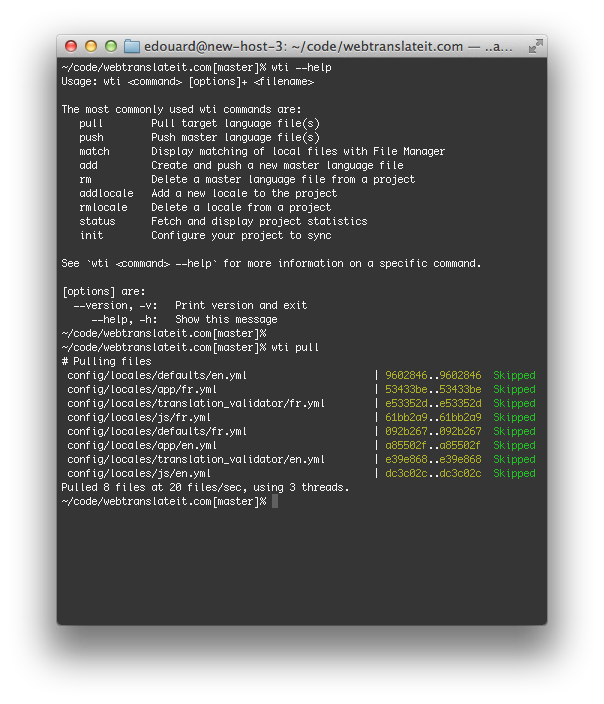
This new version adds one new feature to the wti pull command. It now lets you specify a file path or a directory path to pull. For instance wti pull config/locales/javascripts/* will only pull the files located in the config/locales/javascripts directory.

$ wti pull config/locales/js/*
# Pulling files on WebTranslateIt
 config/locales/js/en.yml                           | 27443c4..27443c4  Skipped
 config/locales/js/fr.yml                           | f161bb9..f161bb9  Skipped
Pulled 2 files at 6 files/sec, using 1 threads.

Another improvement is that all commands now report the current project’s name. This is useful for larger projects spread accross different WebTranslateIt projects.


Install or Upgrade

To install web_translate_it, please refer to the gem documentation.

To upgrade web_translate_it to its latest version, type in a terminal: gem install web_translate_it.

Improvements to new segments notifications

By Edouard on August 28, 2013

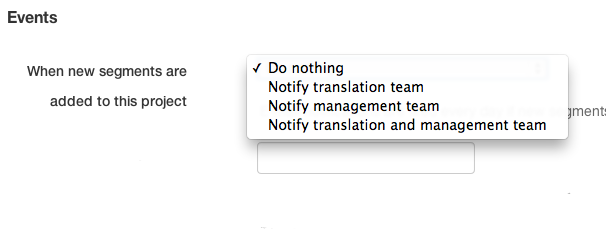
In your project settings, the option to automatically send e-mail notifications when new segments have been added got a little more clever. You can now choose who WebTranslateIt will contact: the translation teams, the management team or both.

This update will make it easier to integrate WebTranslateIt to your workflow.

New in WebTranslateIt: Custom plural rules

By Edouard on July 23, 2013

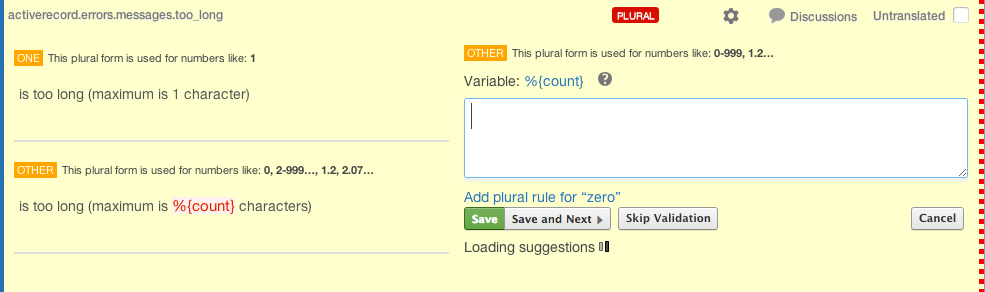
We just released a new feature on WebTranslateIt: custom plural rules. This feature is fairly technical, and will only be useful for developers who need to define their own plural rules.

Plural rules is a feature proposed by some i18n frameworks to help handle the plurals of nouns or unit expressions in different languages.

Some languages have two forms, like English. Some languages have only a single form and some languages have multiple forms.

Plural rules for many languages are listed by the Unicode CLDR project.

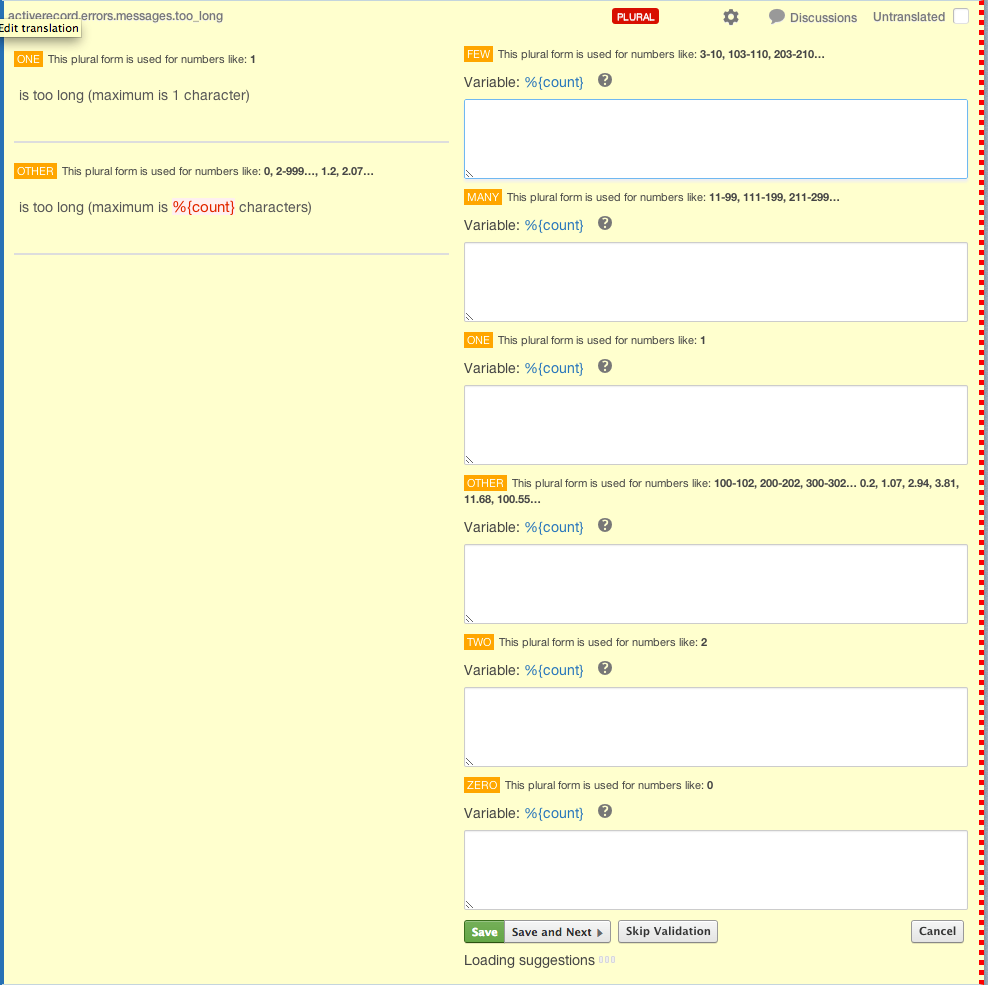
WebTranslateIt use CLDR as its reference and when you translate a plural segment from one language to another, WebTranslateIt knows how many text boxes the translation needs.

CLDR’s data is great, but sometimes plural rules in some languages are contested. For instance in Portuguese, Lithuanian, Hungarian, Turkish, Wolof

It’s very difficult to know who’s right and who’s wrong. Hopefully Unicode will handle these issues, verify the claims with experts and fix the rules if they contain mistakes.

In the meanwhile WebTranslateIt follows the CLDR rules, so if you use WebTranslateIt, you also follow this convention.

But what if you disagree and want to use the rule you feel is right?

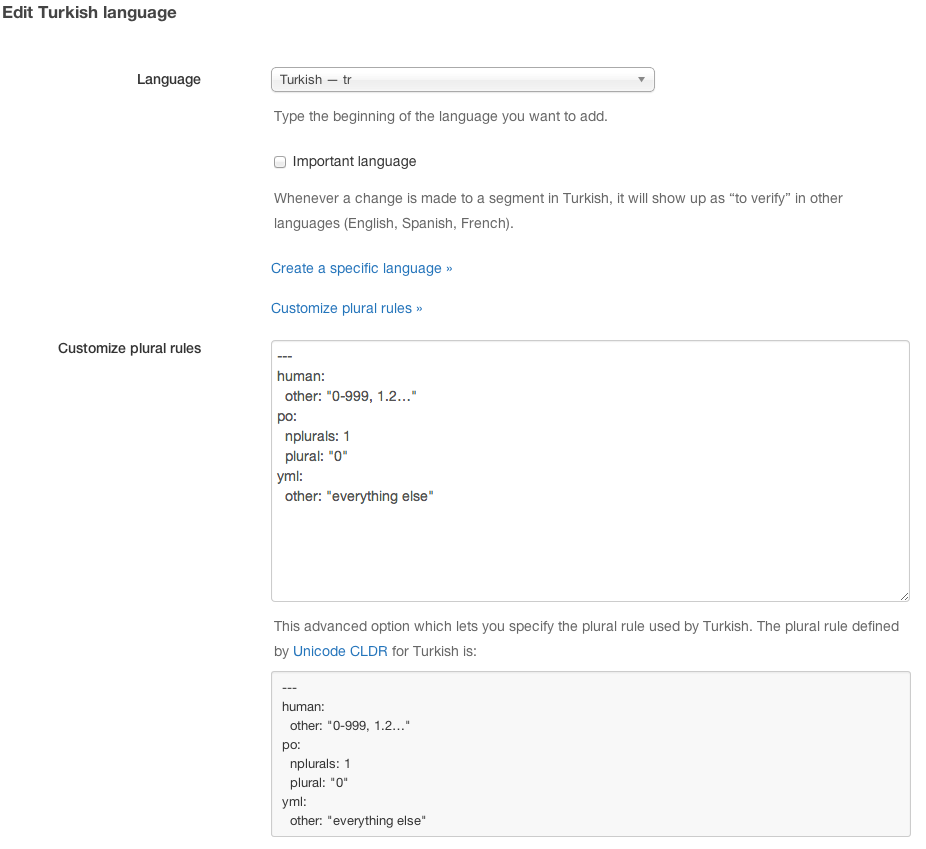
You can now define your own plural rules. To do so, go to your locales & statistics page, click to edit the language you’d like to change and there, click on “Customize plural rules”.

There, you will be able to edit the plural rule. The plural rule is defined in YAML:

--- 
human:
  other: "0-999, 1.2…"
po:
  nplurals: 1
  plural: "0"
yml:
  other: "everything else"

The above rule defines a language with one unique plural rule: other. Let’s say your translator says that there is actually 2 plural rules: one for when the quantifier equals 1, other otherwise.

You would just have to edit the plural rule to:

--- 
human: 
  one: "1"
  other: "0-999, 1.2…"
po: 
  nplurals: 2
  plural: "n != 1"
yml: 
  one: 1
  other: "everything else"

I hope you will find this new feature useful. Thank you for using WebTranslateIt.

Preventing you from loosing your work

By Edouard on June 26, 2013

We just added a great new feature to WebTranslateIt, which could save you from losing some work.

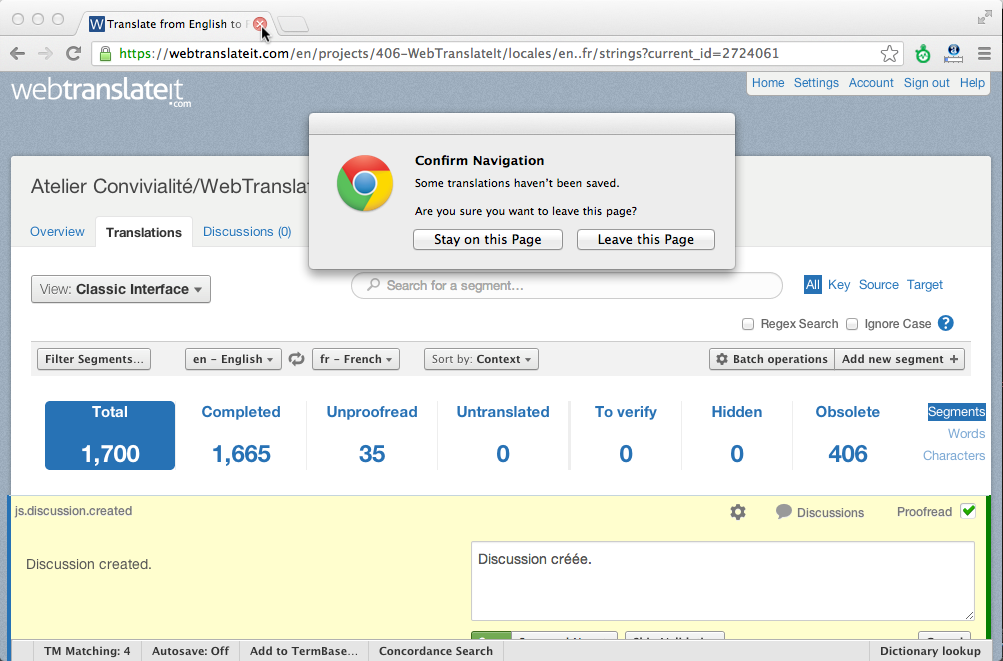
If you have unsaved translations and close your web browser window (or click on a link which takes you out of the translation interface) a popup window will warn you that your changes will be lost. This gives you one last chance to get back to the translation interface and save your changes.

Fallback to source language option

By Edouard on June 17, 2013

We added a new option in your project’s settings that lets you choose how your files should be generated when it encounters missing translations.

By default, blank translations will be exported as blank in your target language files, but you can now choose to fall back to the source language if a translation is missing.

A better way to invite users

By Edouard on May 31, 2013

We just released a very nice update to the invitation system.

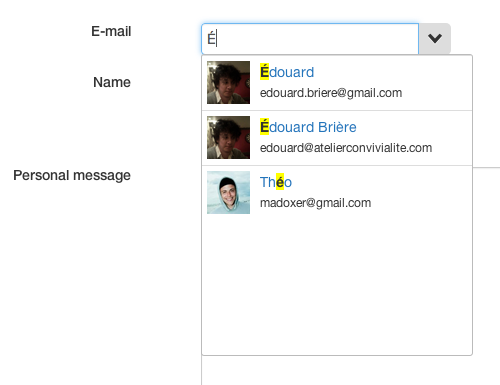
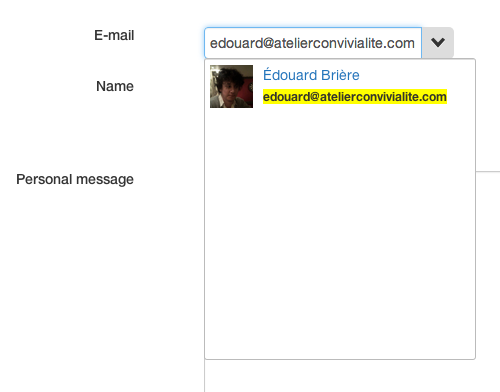
All the collaborators in your organization are now selectable directly in a drop-down.

You can also invite someone new by typing her e-mail address.

We hope you like these changes. Don’t hesitate to send us an e-mail if you have any feedback.

Tackling one of our most requested feature: Sorting Segments

By Edouard on May 30, 2013

We just released a new feature to WebTranslateIt, and it was by far the most requested feature. You can now sort segments on the translation interface.

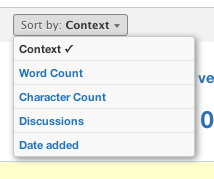
You will now find a new button on the translation interface which lets you sort the segments by different criteria.

By default, segments are sorted by context (which means that segments from the same file are all listed together), but you can also list segments by word count, which is really useful to detect wordy or bad copy on your software.

You can also sort segments by character count, number of discussions (which is great to detect complex segments or segments lacking context) and by date added. We’ll add other ways to sort segments based on your feedback.

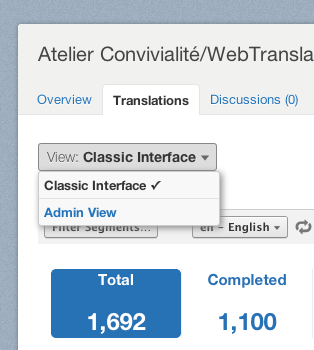
Finally, we moved the link to browse the admin view in a new drop-down to the top-left corner of the translation interface which should let manager switch between the “classic” translation interface and the admin interface.

We really hope you will find this new feature useful. Don’t hesitate to let us know if you have any feedback.

New Top Translators rankings by week and months

By Edouard on May 17, 2013

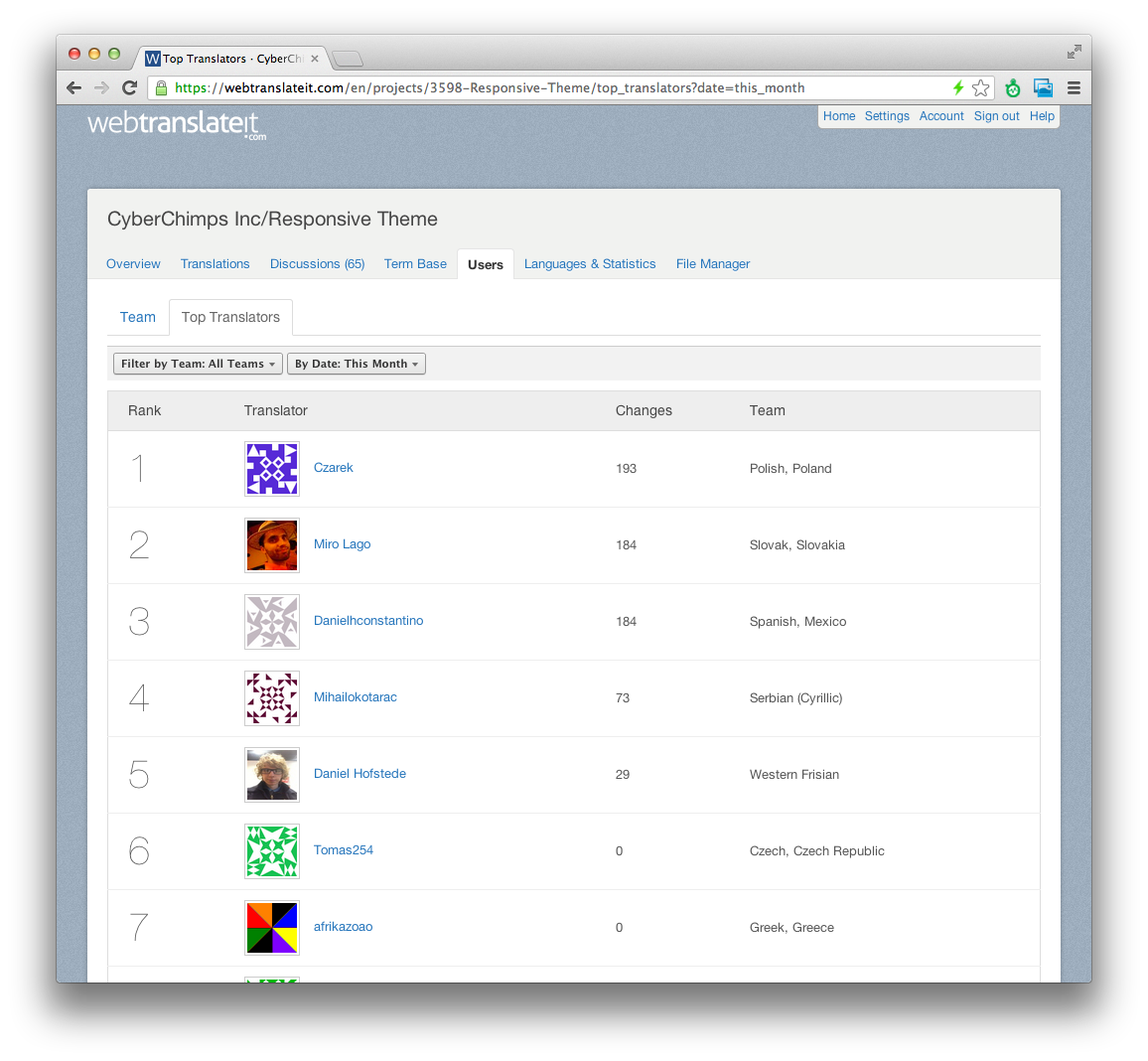
We just released a nice improvement to the Top Translators ranking on your projects. You can now filter the top translators list by date.

top translators

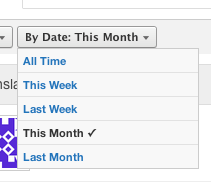
You can filter the top translators ranking by month (this month or last month) or by week (this week or last week).

New in WebTranslateIt: Concordance Search

By Edouard on May 7, 2013

We just released an exciting new feature on WebTranslateIt: Concordance Search.

Concordance Search is useful for translators to search for a specific word in all of the source text in order to find out how a certain word has already been translated. Just like the Term Base and the Translation Memory, this feature helps to keep your translations consistent.

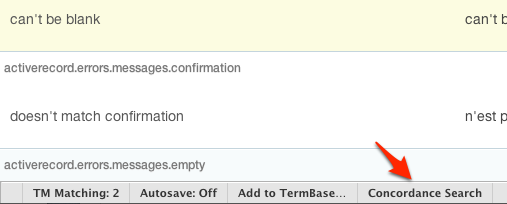
To use this feature, click on “Concordance Search” in the toolbar.

Concordance Search

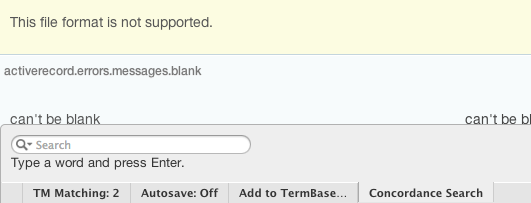
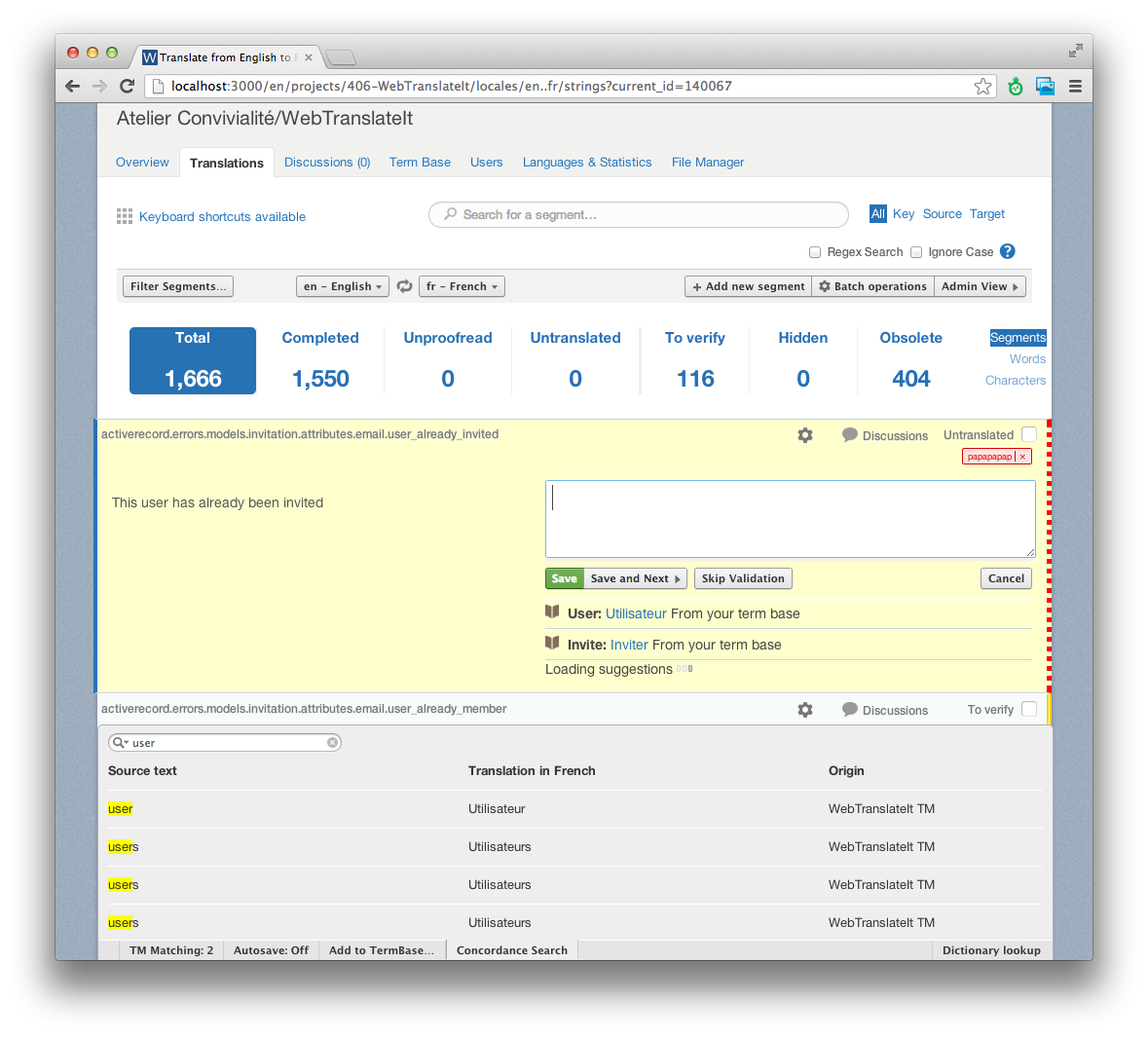
This will bring the new Concordance Search menu, where you can search for a word or a phrase without leaving the page you are on.

Concordance Search

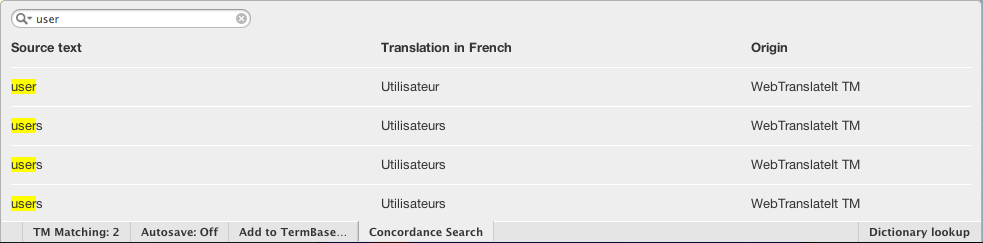
Then, type a word or sentence you’d like to search. “User” for instance. The concordance search bar will list all the segments which contain the word “User” in your Translation Memory.

Concordance Search

The greatest thing is that you can use this feature without leaving the translation interface. It was designed to search for a word while translating a segment.

Concordance Search

I hope you will find this feature useful. Thank you for using WebTranslateIt.
Showcasing public projects

By Edouard on May 1, 2013

While WebTranslateIt’s focus is helping SME and large businesses to translate their software, we also help many open-source projects we believe in.

Among them we have Diaspora, TVShows, Prey and a few localization teams for Joomla.

Other projects crowdsource their translations. Storify is one of them, but there are many others.

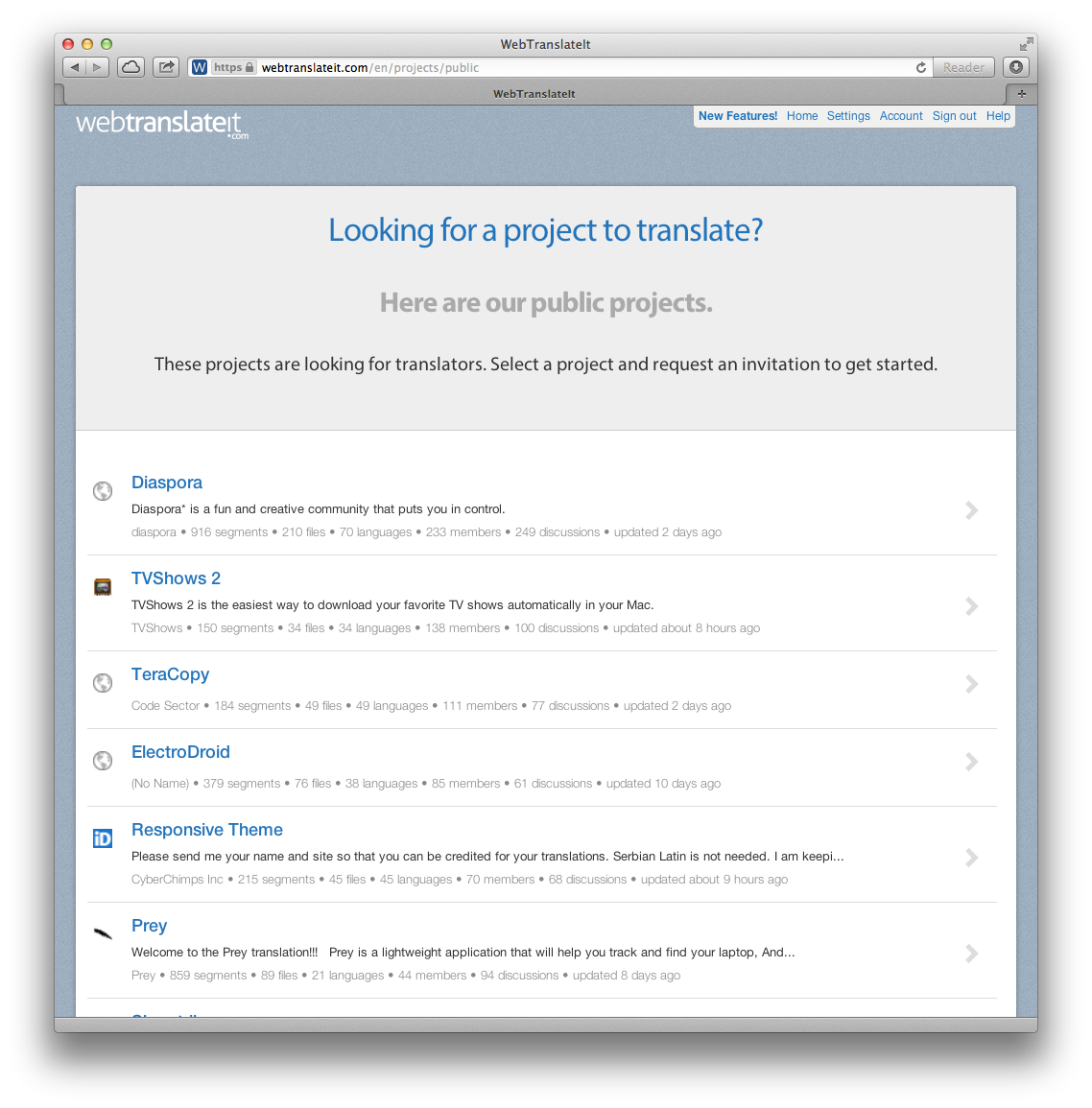
If you’re a translator looking for projects to translate voluntarily, check out our new Public Projects page showcasing all the projects looking for volunteer translators.

Public projects on WebTranslateIt

It’s really easy to get started. On the Public Projects page, select a project you’re interested in contributing to, and then click on “Join the translation team”.

If you’re a project owner and would like your project listed on the Public Projects page, it’s super easy to do.

In your project settings, under “Access Control”, tick the checkbox “Project visible publicly”. This will make your project visible publicly and volunteer translators will be able to request an invitation to help you translate your project.

Project access control setting

Finally, we’ve added a Twitter button on all public project’s homepages, so it is now easier than ever to spread the word about your WebTranslateIt project on Twitter or by e-mail.

Public projects on WebTranslateIt

Translate your Ruby on Rails strings in context with i18n_viz and WebTranslateIt

By Edouard on May 1, 2013

Are you translating a Ruby on Rails application? Would you like to give your translations more context to the translations to your translators?

i18n_viz is a great rubygem for Ruby on Rails projects developed by Jakob Hilden from Railslove.

What does it do?

When translating a list of strings in a YAML files it can be rather difficult for translators to understand the meaning of a sentence, because of the lack of context.

i18n_viz is a rubygem that lets your browse your own Rails application and visualize and edit your strings in a ruby on rails project. Think of it as a reversed lookup for translations.

i18n_viz highlights your app’s translatable text and adds a tooltip containing the translation key which links to the translation key in your favourite online translation tool.

View this video in HD at Vimeo.

If you configure an online translation software like WebTranslateIt the tooltip becomes clickable and links directly to the segment on WebTranslateIt.com, where you can edit it.

Installation

The gem is well documented, so installing it is just a matter of following the instructions.

web_translate_it rubygem v2.1.3 released

By Edouard on April 25, 2013

I released a new version of the web_translate_it gem, the open-source synchronization tool for Web Translate It.

wti synchronization tool

Fixes

This new version fixes an issue installing the gem with JRuby and rubygems 2.0.3.

Improvements

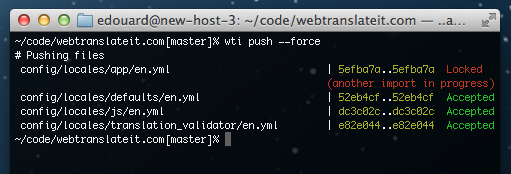
This new version improves the error message displayed when a file is not available for push. A file isn’t available for push (the API returns the HTTP status code 503 when an import is already in progress for that file.

This locking mechanism prevents a file from being imported twice at the same time, which would cause synchronization problems on a project.

wti error message

This new version also adds the ability to initialize a project with this command in one line: wti init <api_token>, and improves error handling when running a wti command outside of a directory containing a WebTranslateIt configuration file.


Install or Upgrade

To install web_translate_it, please refer to the gem documentation.

As usual, upgrade web_translate_it to its latest version by typing in a terminal: gem install web_translate_it.

10 new features and improvements released on WebTranslateIt last month

By Edouard on April 22, 2013

In case you missed it, we released 10 new features in the last month.

By order of importance, we released:

  1. a new visual identity for WebTranslateIt
  2. an update to the Batch Operations system.
  3. new filters for the translation interface: “segment type” and “last updated by”
  4. the ability for managers to edit the source text on the go
  5. a bunch of performance improvements, including a faster translation interface, instant statistics, instant suggestions and support for SPDY.
  6. support for CSV files
  7. the ability to perform operations in multiple locales, as well as autocompletion for the TermBase and we improved the interface when adding or updating segments.
  8. an update to the languages page
  9. a bookmark app on the Google Chrome store
  10. two new versions of the web_translate_it rubygem.

Updates to the languages page

By Edouard on April 19, 2013

We recently refreshed the languages page on the projects hosted on WebTranslateIt.

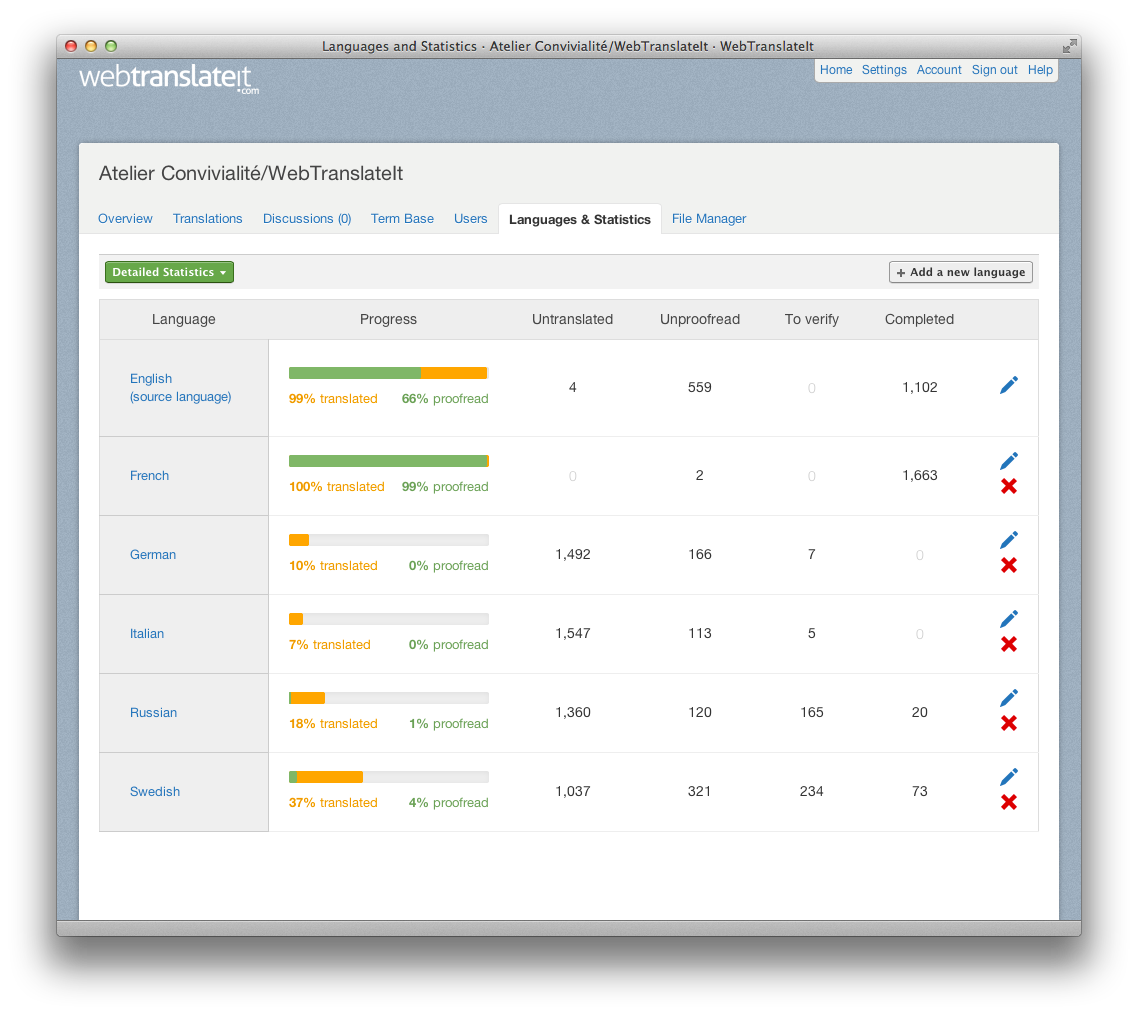
It now displays larger progress bars, indicating more clearly the progress of translation and proofreading in a language.

New languages page

The graphs on the detailed stats page have been updated as well, with nicer graphs.

New languages page

WebTranslateIt’s new visual identity

By Edouard on April 17, 2013

These last three weeks have been very busy at WebTranslateIt. We released several updates to WebTranslateIt’s visual identity. We hope you like it.
New logo

WebTranslateIt has a new logo. It’s simple and fun. It comes in two flavours.

WebTranslateIt logo

WebTranslateIt logo in white

If you’d like to use WebTranslateIt’s logo on your website, feel free to download a high resolution version on our Press page.

New home page

We updated our homepage. Some customers have already noticed it and sent us great feedback. It’s cleaner and does a better job at presenting what WebTranslateIt is. It also showcases some of our best customers and testimonials.

WebTranslateIt new homepage

All the pages around it were completely revamped and rewritten like the Tour page, which presents WebTranslateIt’s management tools and translation tools.

We also added a new page called Tools for WebTranslateIt, which introduces a few tools built for WebTranslateIt. We’ll update this page regularly and will also showcase some of these tools in the blog.

New Help Section

The Help section received a complete overhaul.

WebTranslateIt help section

This page should does a better job at helping users, pointing them to the FAQ, the documentation or filing a support request.

We also moved the documentation website to webtranslateit.com/docs and redesigned the documentation.

WebTranslateIt help section

Finally, support requests now allow users to attach as many files as they want.

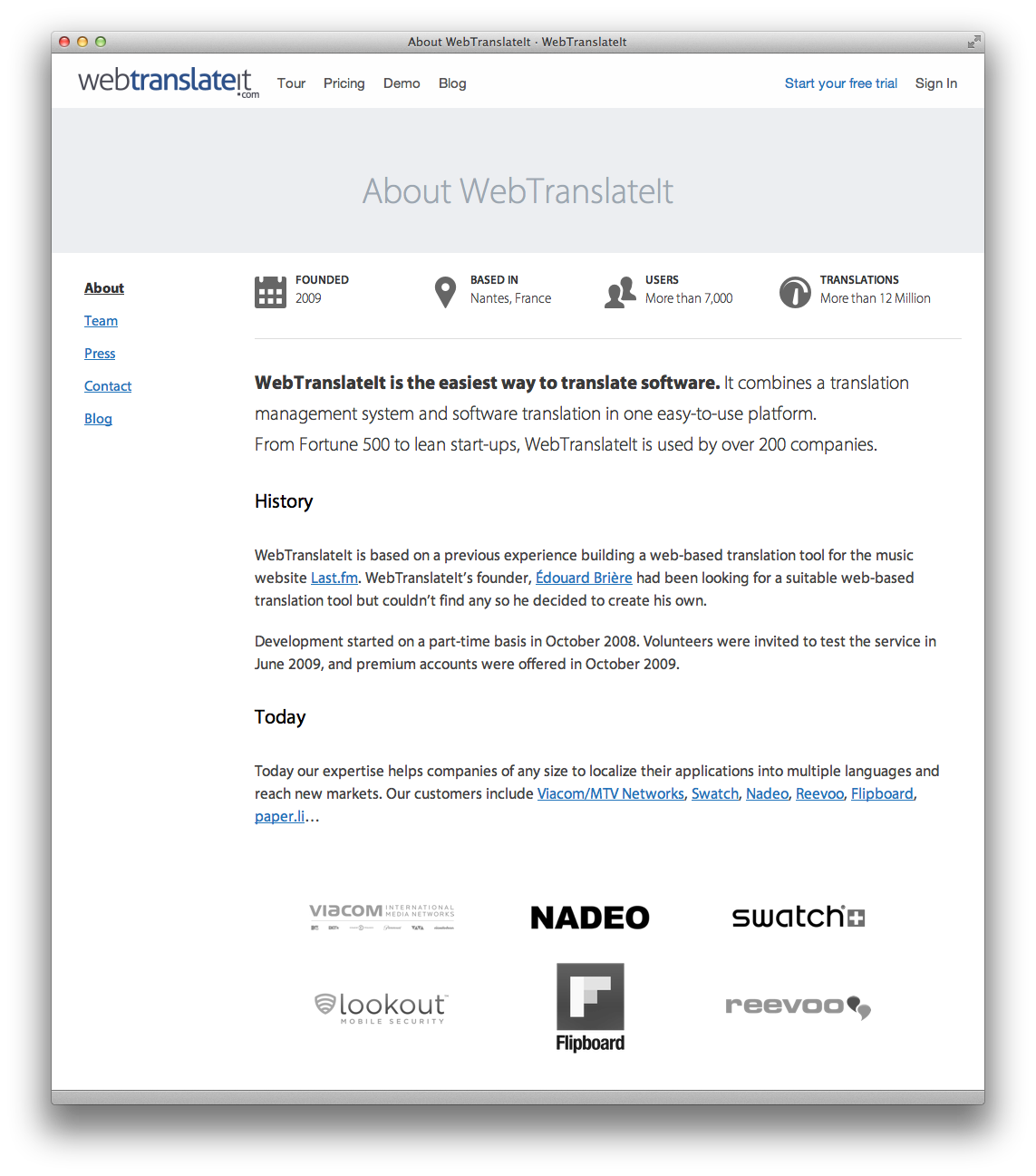
New About pages

People love to know who’s behind a website and what’s the story of its inception. So we redesigned the About page:

WebTranslateIt about section

We also have a new Team page and Press page. Check them out!

WebTranslateIt in blue

This is probably the most important change for the users: we changed the background of the software’s interface from green to blue.

WebTranslateIt about section

This change may seem small, but we were really careful on this choosing the new colour. We wanted it to be neutral while reflecting WebTranslateIt’s new visual identity.

We hope you like these changes. Don’t hesitate to send us an e-mail if you have any feedback.

web_translate_it rubygem v2.1.1 released

By Edouard on April 15, 2013

I released a new version of the web_translate_it gem, the open-source synchronization tool for Web Translate It.

wti synchronization tool

This new version fixes an issue with connections to WebTranslateIt hanging indefinitely when running on ruby 2.0.


Install or Upgrade

To install web_translate_it, please refer to the gem documentation.

As usual, upgrade web_translate_it to its latest version by typing in a terminal: gem install web_translate_it.